 SecondEye
Free trial
30 days
All features. No card. Nothing is charged when it ends.
For Tibia and RubinOT · Windows
SecondEye puts the slots that keep you alive, like amulet, ring and cooldowns, right next to your character. When one runs out, you notice right away, without glancing at the corner of the screen.
SecondEye runs on Windows. Open this page on your PC to download it.
30 days free · no card needed · Windows 10/11
Unofficial tool. It only shows your screen: it does not play, press keys or touch the client. Read the server rules.
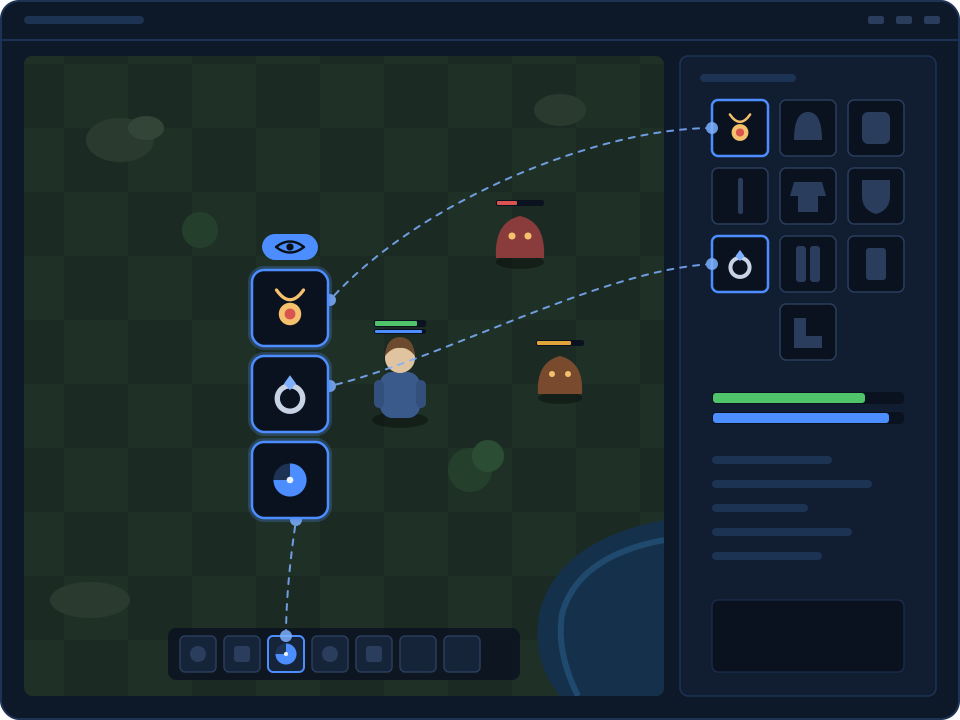
Amulet, ring, potions or a cooldown, live and at real size, beside the character instead of in the corner of the screen.
Hunt mode lets clicks pass through the overlays, and each one has its own transparency, so the map stays clear.
It uses the Windows preview of the game window. It does not read game memory, press keys or change the client.
No setup files to edit. Pick the game, mark the slot, start hunting.
A 270 KB launcher installs and updates SecondEye for you. Create your account in the app.
Drag a square over the amulet, ring or any part of the client and capture it. It starts at the slot's real size.
The panel goes to the tray and the overlays stay on top of the game. Your setup is saved for next time.
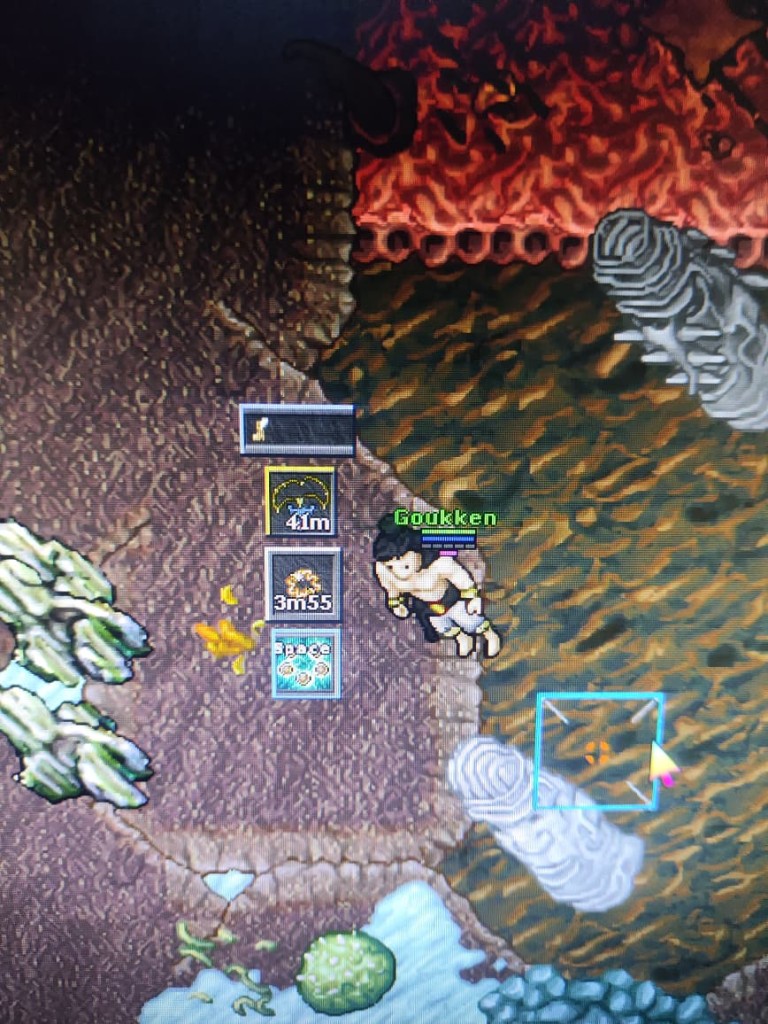
This is a photo of a real Tibia hunt with SecondEye running: amulet, ring and cooldowns stacked next to the character.
It is a photo of the monitor because Tibia and RubinOT block screenshots of the client.
Made for Tibia, RubinOT and OTClient. It finds the game window by itself.
OnTopReplica clones a whole window and you crop it by hand every time. SecondEye is built for Tibia: slot-sized overlays, several at once, saved per game window, and a Hunt mode that lets clicks through.
Try it instead of OnTopReplicaTry everything for 30 days without a card. On your first purchase every plan is half price, for every month of the plan.
30 days
All features. No card. Nothing is charged when it ends.
R$ 19,90
R$ 9,95
= R$ 9,95/month
50% off first purchase
R$ 119,40
R$ 59,70
= R$ 9,95/month
50% off first purchase
R$ 238,80
R$ 119,40
= R$ 9,95/month
50% off first purchase
Pay with Pix, boleto or card. Prices in Brazilian reais.
No. Create an account in the app and you get 30 days with every feature. When it ends, SecondEye simply asks you to subscribe.
CipSoft support told us SecondEye does not give an unfair advantage, so they are not opposed to it. That is tolerance, not official approval, and the risk is yours.
RubinOT staff do not authorize external tools, even ones that only display the screen. If their protection punishes an account, they will not reverse it.
OnTopReplica copies one whole window. SecondEye shows several small, slot-sized overlays at once, remembers them per game window and lets clicks pass through while you hunt.
Windows 10 or 11, 64-bit. If Windows asks, install the .NET 8 Desktop Runtime (x64) and WebView2.
Yes. Plans are paid in advance and do not renew by themselves. When the period ends, you choose whether to buy again.
30 days free, no card. You read and accept the server rules the first time the app opens.
Download SecondEyeSecondEye runs on Windows. Open this page on your PC to download it.
About 270 KB. Windows 10/11, 64-bit.
SecondEye is unofficial software. It sits outside the game client and shows cropped overlays of your slots. It does not play the game for you.
CipSoft support looked at SecondEye. They said it does not give an unfair advantage, so they are not opposed to using it. That is not official approval. They tolerate the tool. If the client is unstable or BattlEye blocks you while SecondEye is running, that is on you. They will not help. See Tibia rule 3b.
RubinOT staff said they do not authorize or recommend external tools used with their client, even if the tool does not change the client or press keys. If their protection system punishes the account, they will not reverse it. See the RubinOT rules.
We try our best to comply with the rules and not to cheat.
You use SecondEye at your own risk.
Same account as the app.